
Sometimes you need to get multiple URLs out of the Google search results, either because you’re cleaning up old content, or perhaps you got hacked, or for whatever reason, you want them gone. Google Search Console lets you remove them, but only one at a time, which can take forever.
***Update August 2026***
In April of this year, I again paid for a month of use on the add-on I wrote about below, because I had a client that needed to remove several hundred urls after a site hack. I cancelled the subscription when I was done, and wouldn’t you know, just a few months later I needed to do it again.
Rather than pay for another month I had my assistant (Claude) build me one, and I’m giving it away free. I used none of the original add-on code, and I didn’t even point out that one already exists. It’s not a lead magnet, I’m not collecting any data, and I’m just giving away this Free Google Search Console Bulk Removal Tool.
***Update fall 2020*** –
Over 12 years since I first wrote about this, I just used it again, to help a client, and it worked like a charm. For someone like me, who doesn’t need to remove unwanted URLs often, a subscription doesn’t make sense, But I had no problem getting a month’s access. This add on is SO useful!
***Update spring 2020*** – This still works, but it is now a PAID extension, for $15 per month. After installation, you’ll be prompted to pay for it when you try to use it, and you can download it here.
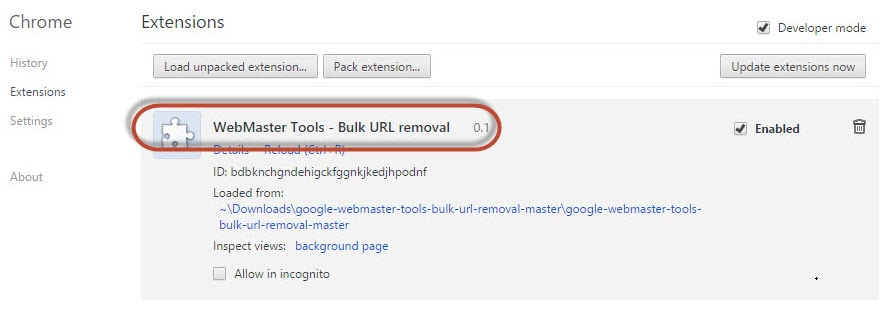
A couple of years ago a guy in San Francisco wrote this Chrome extension at Github for bulk URL removal. It’s easy to use and there’s no limit to how much time this COULD save you.
To be clear, this will *not* remove them from Google’s index – only from Google’s search results.
The URL removal tool does not remove URLs from the index, it removes them from our search results. The difference is subtle, but it’s a part of the reason why you don’t see those submissions affect the indexed URL count. Google’s John Muller can clarify the semantics.
How To: The Process
- Open Chrome
- Visit Github to download the Bulk URL Removal Chrome extension
- Visit Google Search Consoles > Google Index > Remove URLs
- Enable the Chrome Extension (Menu > More Tools >
Extensions - Refresh Search Console “Remove URLs” page
- Select your choice from the dropdown
- Upload your list of URLs
Here’s my original 2 minute video showing how to use the extension:
Here’s a more updated video, made by the creator of the extension: